/
Solutions
/
Run & Transform
/
Business Central

解放团队精力
聚焦核心价值

跨系统间繁琐的例行交接、审批与通知最为耗费时间。Power Automate 可无缝连接您的微软(Microsoft)及第三方系统,实现端到端的业务工作流自动化。
了解哪些业务流程能够带来最快的投资回报率(ROI)。
了解更多 >
挖掘对您业务最具价值的自动化突破口。
了解更多 >
Power Automate 核心价值呈现

自动化最能见效的场景,往往是那些高频次、基于固定规则、且依赖电子邮件、人工数据录入与频繁切换系统的业务环节。Power Automate 正是为精准解决此类工作流而生。
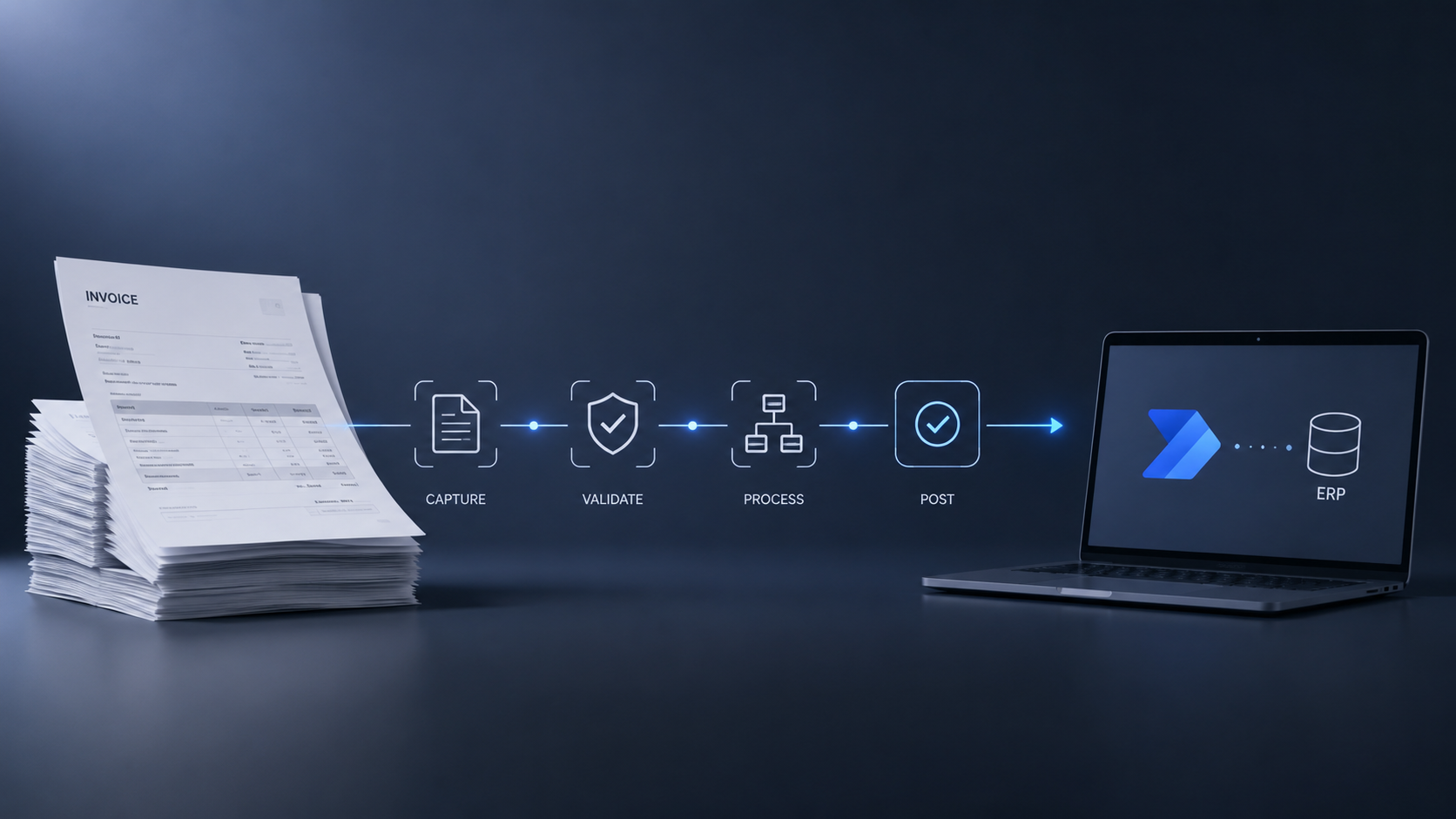
Stack of invoices on the left connected by a flowchart to a laptop on the right, illustrating document automation steps: Capture, Validate, Process, Post, and integration with ERP system.
单据与文档自动化

实现发票、送货单及采购订单从信息采集、数据校验到 ERP 入账的全流程自动化,可与 AI-OCR(智能光学字符识别)完美匹配。

Laptop screen displaying a workflow diagram with a start icon and user icons connected by arrows and decision points including check marks, clock symbols, and a red X, extending to four portraits of people with colored status icons: two with green check marks, one with an orange clock, and one with a red exclamation mark, indicating stages of approval or task completion.
审批工作流

以结构化工作流替代耗时数天的邮件审批链,实现申请自动化路由、催办提醒、超期升级以及决策全程留痕。

A central icon connected by glowing lines to four icons representing Microsoft Dynamics 365, SharePoint, Excel, and a database, with two computer screens showing charts and data in a dark modern workspace.
ERP 数据同步

支持通过事件触发、定时计划或数据变更,保持 Dynamics 365、SharePoint、Excel 与第三方系统间的数据实时一致。

Smartphone on a table with a glowing notification bell icon above it showing one alert, connected by dotted lines to circular profile images of three diverse individuals using their phones.
预警与通知

当触发特定条件(如库存预警、逾期应付款、临近截止日期或待办审批)时,自动发送主动预警通知。

Digital flowchart showing a process linking four business professionals via icons representing user, document, approval, chat, and company, set against a dark office background with a notebook, pen, coffee cup, and laptop on the table.
客户与供应商工作流

实现客户与供应商入驻、需求处理、状态更新及沟通互动的自动化,大幅提升响应速度与协作效率。

客户实战案例:AI-OCR + POWER AUTOMATE
送货单自动化
‍
完整业务工作流
ectura 瀚资最具成效的实施方案之一,是将 AI-OCR 与 Power Automate 深度结合,为物流运营优化送货单处理流程。最终打造出无缝的端到端自动化流程,彻底取代人工操作,并显著降低专职人力资源投入。
单据采集

司机或后勤人员通过手机拍照或扫描采集送货单。

AI-OCR 智能提取

Power Automate 自动触发 Azure AI Document Intelligence(文档智能解析),高效提取关键数据。

ERP 数据校验

提取的数据将与 ERP 系统内的现有记录进行自动比对校验。

异常情况处理

如遇数据异常,系统将附带所有关键明细自动转交相关人员审核。

ERP 自动化过账

数据确认无误后,只需一键操作即可自动过账至 ERP 系统。

Power Automate 的工作原理

从触发条件到执行动作,Power Automate 贯通您的应用与数据,实现业务全流程自动化并提升运营成效。
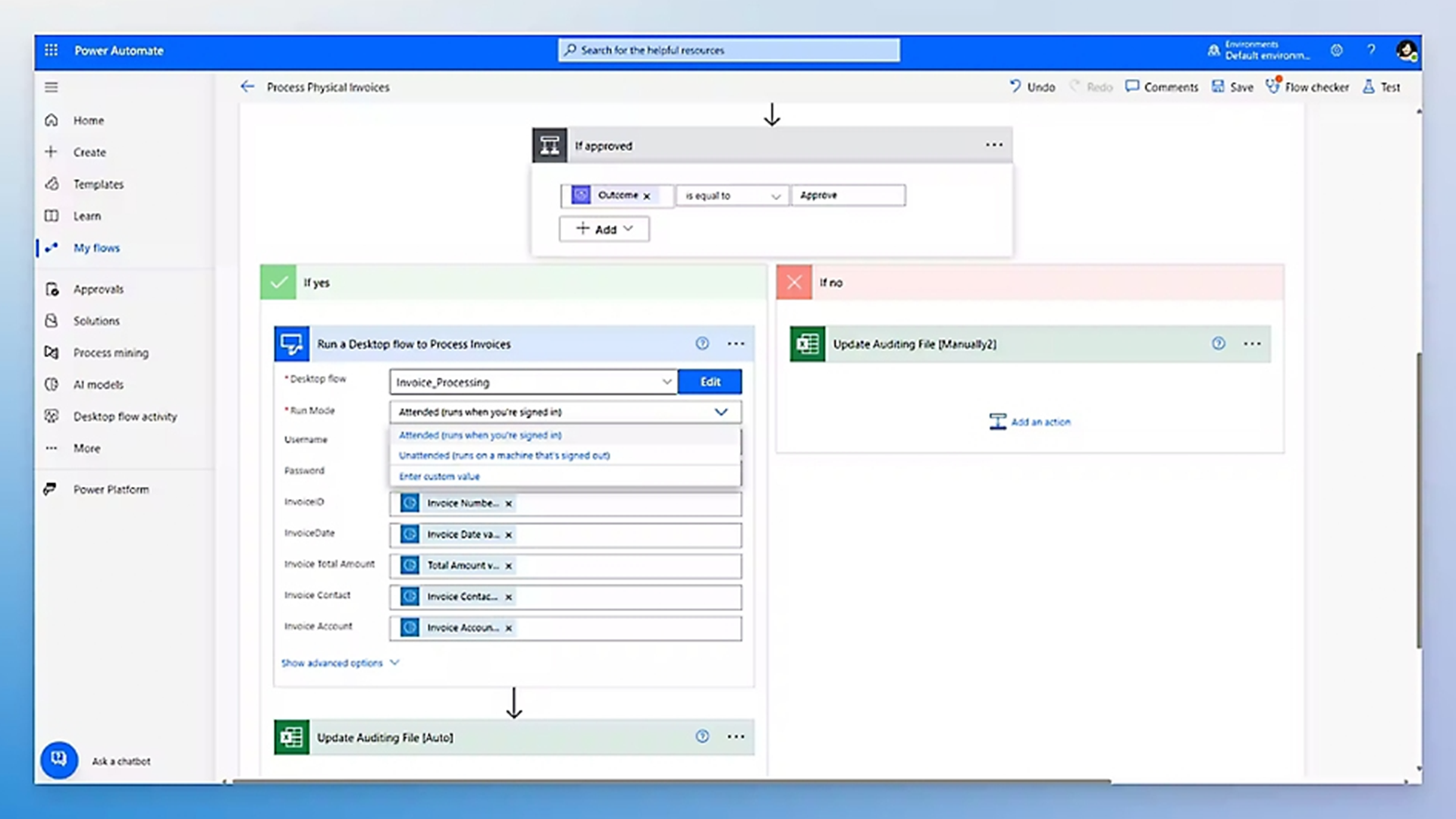
Power Automate interface showing a flow named Process Physical Invoices with a conditional step 'If approved'. If yes, it runs a desktop flow named Invoice_Processing with options for run mode including attended and unattended, and fields for invoice details. If no, it updates an auditing file manually in Excel. The sidebar includes options like Home, Create, Templates, Learn, My flows, Approvals, Solutions, Process mining, AI models, Desktop flow activity, and Power Platform.
Cloud & Desktop Flows

通过 API 实现 Web 服务之间的流程自动化;或借助机器人流程自动化(RPA)轻松对接传统旧版系统。
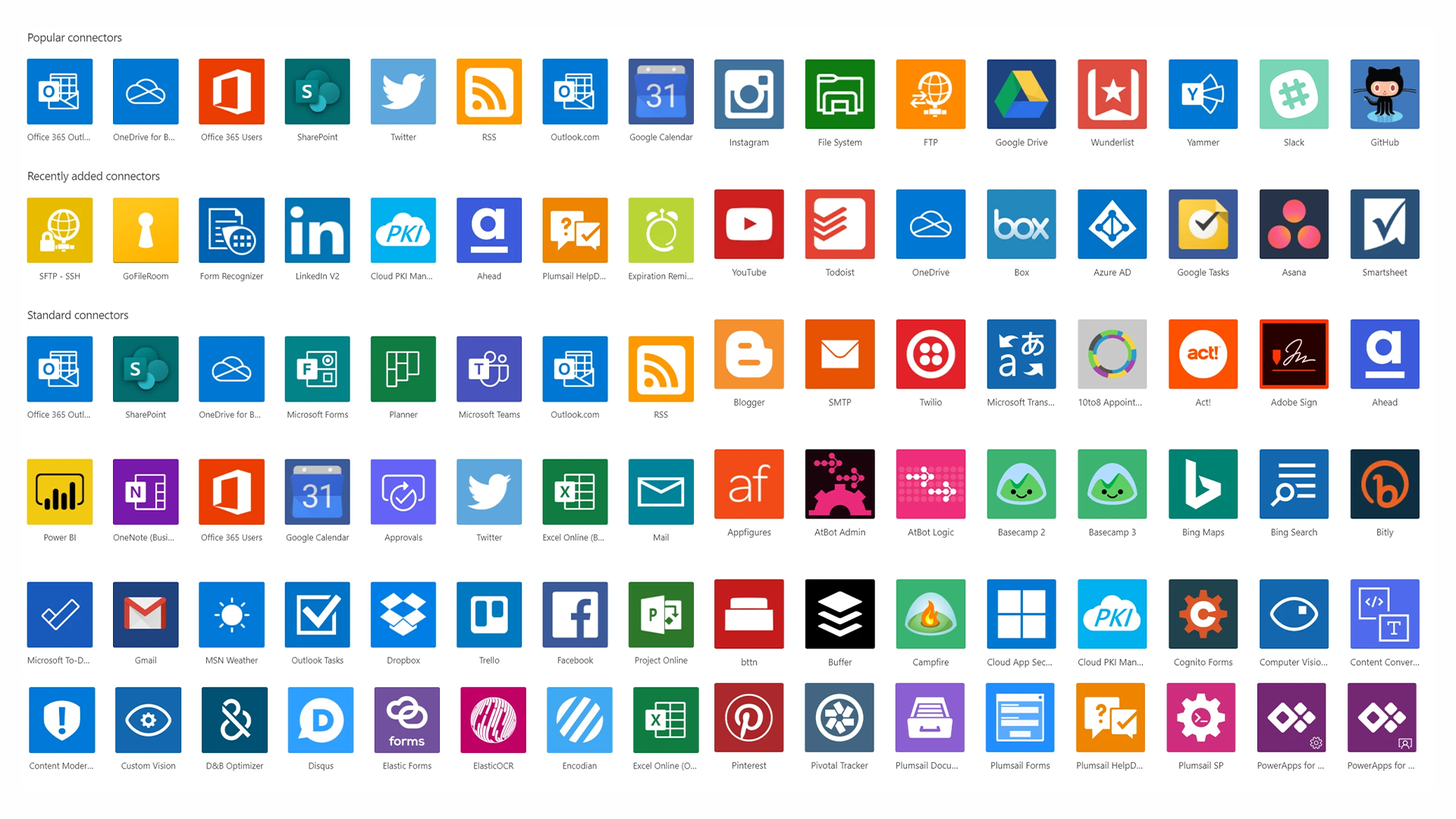
Grid of colorful square app icons representing popular, recently added, and standard connectors, including Office 365 Outlook, OneDrive, Office 365 Users, SharePoint, Twitter, RSS, Google Calendar, Instagram, YouTube, Todoist, Box, Microsoft Teams, Power BI, Gmail, Dropbox, Facebook, Pinterest, and others.
丰富的数据连接器

官方提供预置连接器,绝大多数业务场景均无需编写自定义集成代码。

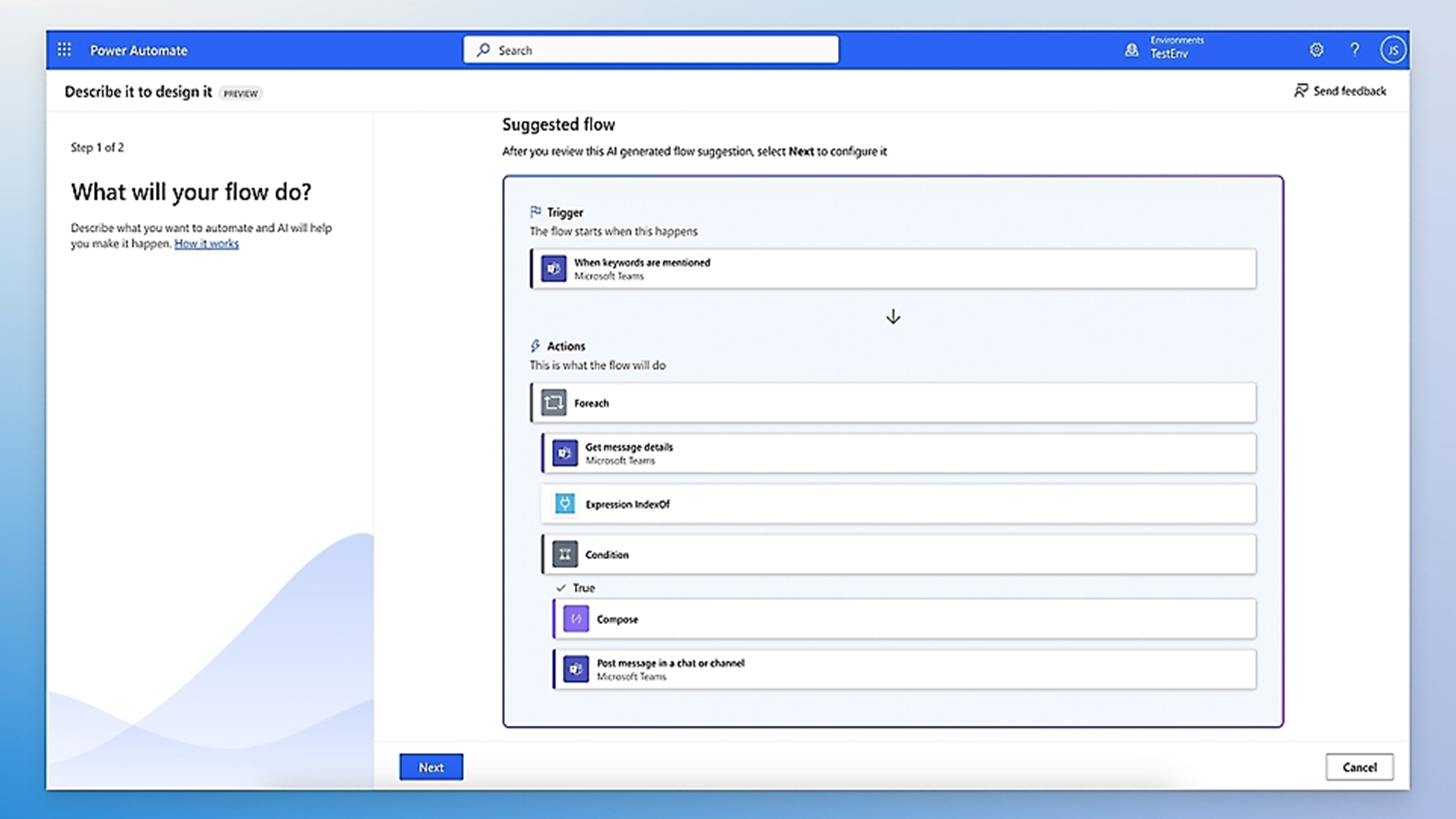
Power Automate interface showing the 'Describe it to design it' feature with Step 1 of 2 asking 'What will your flow do?' On the right, a suggested flow is displayed listing a trigger 'When keywords are mentioned' in Microsoft Teams, and actions: Foreach, Get message details in Microsoft Teams, Expression IndexOf, Condition with True branch executing Compose and Post message in a chat or channel in Microsoft Teams. Buttons for 'Next' and 'Cancel' are at the bottom.
件驱动的自动化

工作流可由特定业务事件或预设时间节点精准触发,确保自动化响应及时高效。

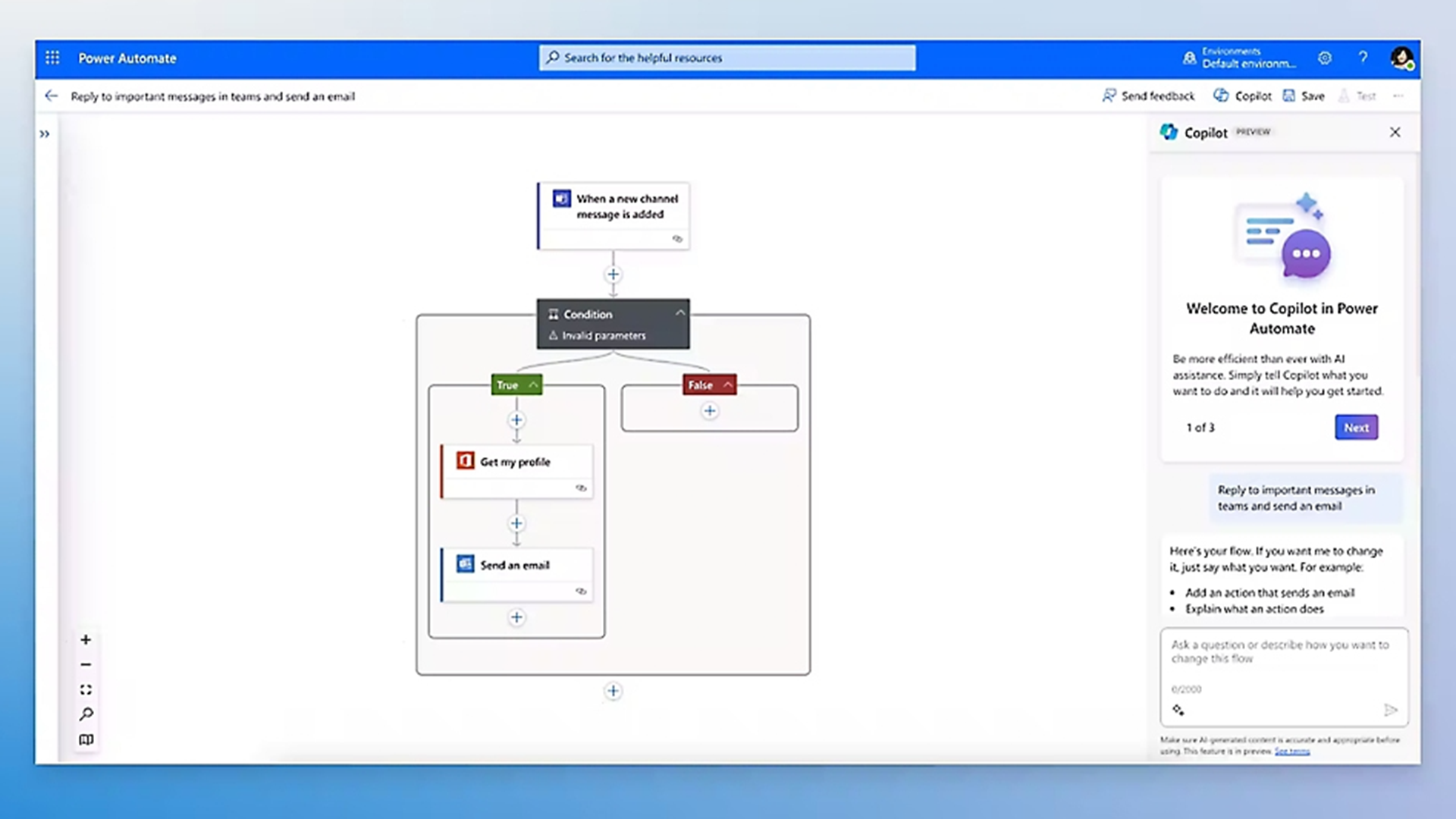
Screenshot of Microsoft Power Automate interface showing a workflow to reply to important messages in Teams and send an email, triggered by a new channel message. The workflow includes a condition with branches for true (getting the profile, then sending an email) and false. The right panel displays Copilot preview with a welcome message and instructions to customize the flow using AI assistance.
Copilot Flow Builder

只需使用自然语言描述需求,Copilot 即可为您自动生成自动化流程草案。
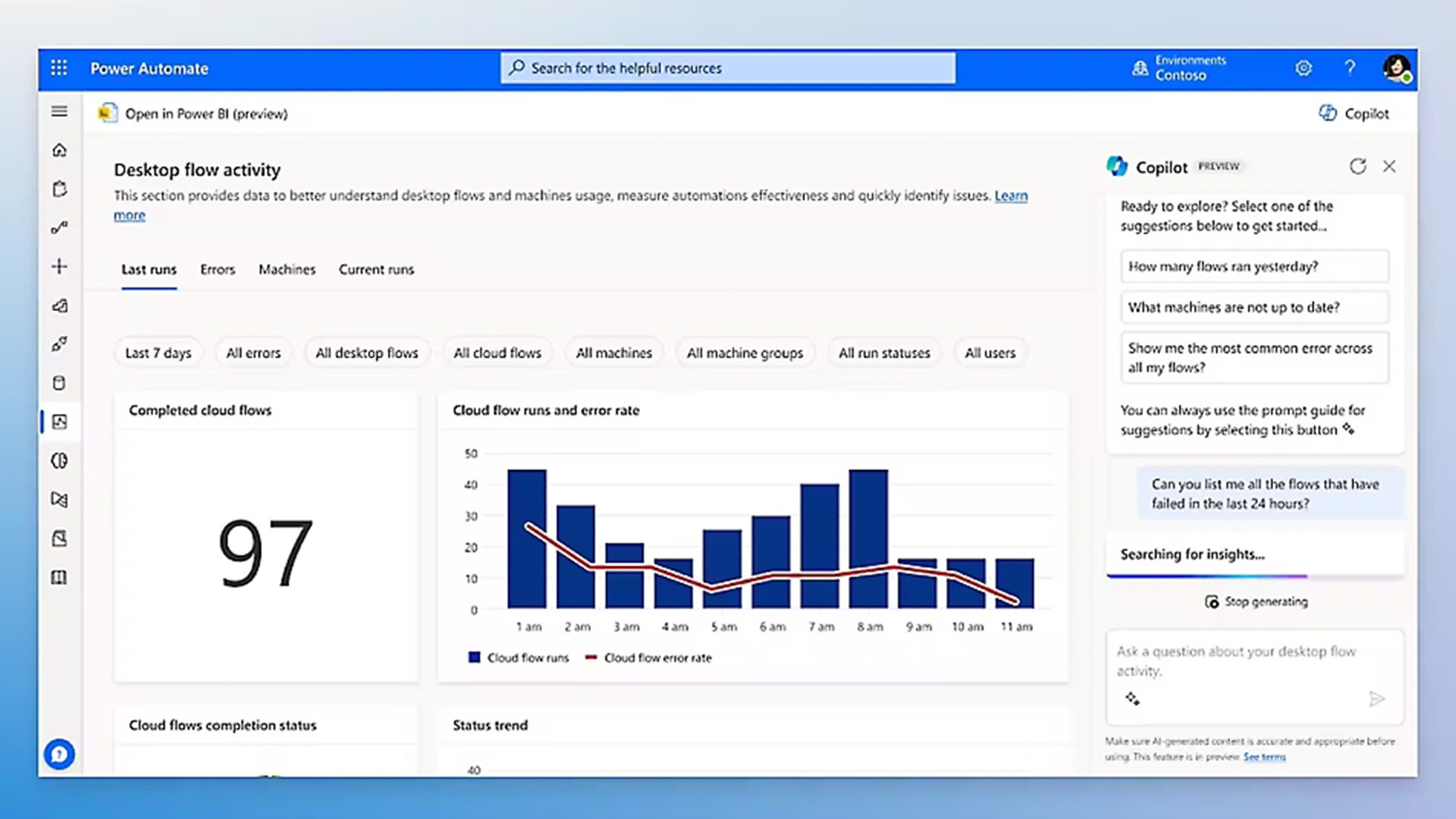
Power Automate desktop flow activity dashboard showing completed cloud flows at 97, a bar and line chart of cloud flow runs and error rate by hour from 1 am to 11 am, and an AI Copilot panel suggesting questions about flow runs, machine status, and errors with a prompt to ask about flows failed in the last 24 hours.
严格的管控与治理

内置防数据泄露(DLP)、审计日志及基于角色的访问控制(RBAC),确保自动化规模化扩展的同时杜绝合规风险。

常见问题解答
什么是微软 Power Automate?

微软 Power Automate 是一款基于云端的工作流自动化平台,通过连接企业各类应用与服务,实现重复性任务和多步骤业务流程的自动化。它既支持 Web 服务之间的云端自动化,也支持利用机器人流程自动化(RPA)进行 Windows 桌面应用的自动化,能够全面覆盖企业内几乎所有系统的流程优化需求。

Power Automate 与定制集成开发有何不同?

传统定制集成依赖专业开发人员,不仅前期投入高昂,还需要持续的维护成本。Power Automate 采用预置连接器和可视化流程构建器,无需开发经验即可在更短时间内、以更低成本完成系统集成。随着业务流程的变化,工作流的修改与维护也更为简便,大幅降低了对开发资源的长期依赖。

Power Automate 可以与我们现有的 IT 技术环境连接吗?

Power Automate 预置了针对 Dynamics 365、Microsoft 365(Outlook、Teams、SharePoint、Excel)、SAP、Salesforce 等数千种第三方系统的连接器。对于缺乏原生连接器的系统,它还支持 HTTP/REST API 接口集成以及通过 RPA 实现桌面流操作,即便是缺乏现代 API 的旧版系统也能无缝接入。

Power Automate 可以与我们的 AI-OCR 单据处理协同工作吗?

是的。Power Automate 正是驱动 Tectura 瀚资 AI-OCR 单据智能识别解决方案的核心自动化引擎。它编排了从单据采集、AI 数据提取、ERP 记录比对校验、异常路由到最终入账过账的端到端工作流。将 Power Automate 与 Azure AI Document Intelligence 深度结合,能为企业提供一套即装即用、高成熟度的单据自动化解决方案。

实施 Power Automate 工作流需要多长时间?

简单的工作流(如审批通知、双系统数据同步或定时报表分发)可在 1 至 2 天内完成构建与部署;涉及多系统联动、复杂条件逻辑和异常处理的多步骤流程通常需要 1 至 2 周。Tectura 瀚资将根据您的具体业务流程需求,评估并制定最合适的实施路径。